
Apple Bytes: 
If you need help with your Apple product contact the Apple Users Group:
A club member recently stated that she got a Mac laptop but it didn't have a power button that she could find. Here's what Apple's online support has to say:
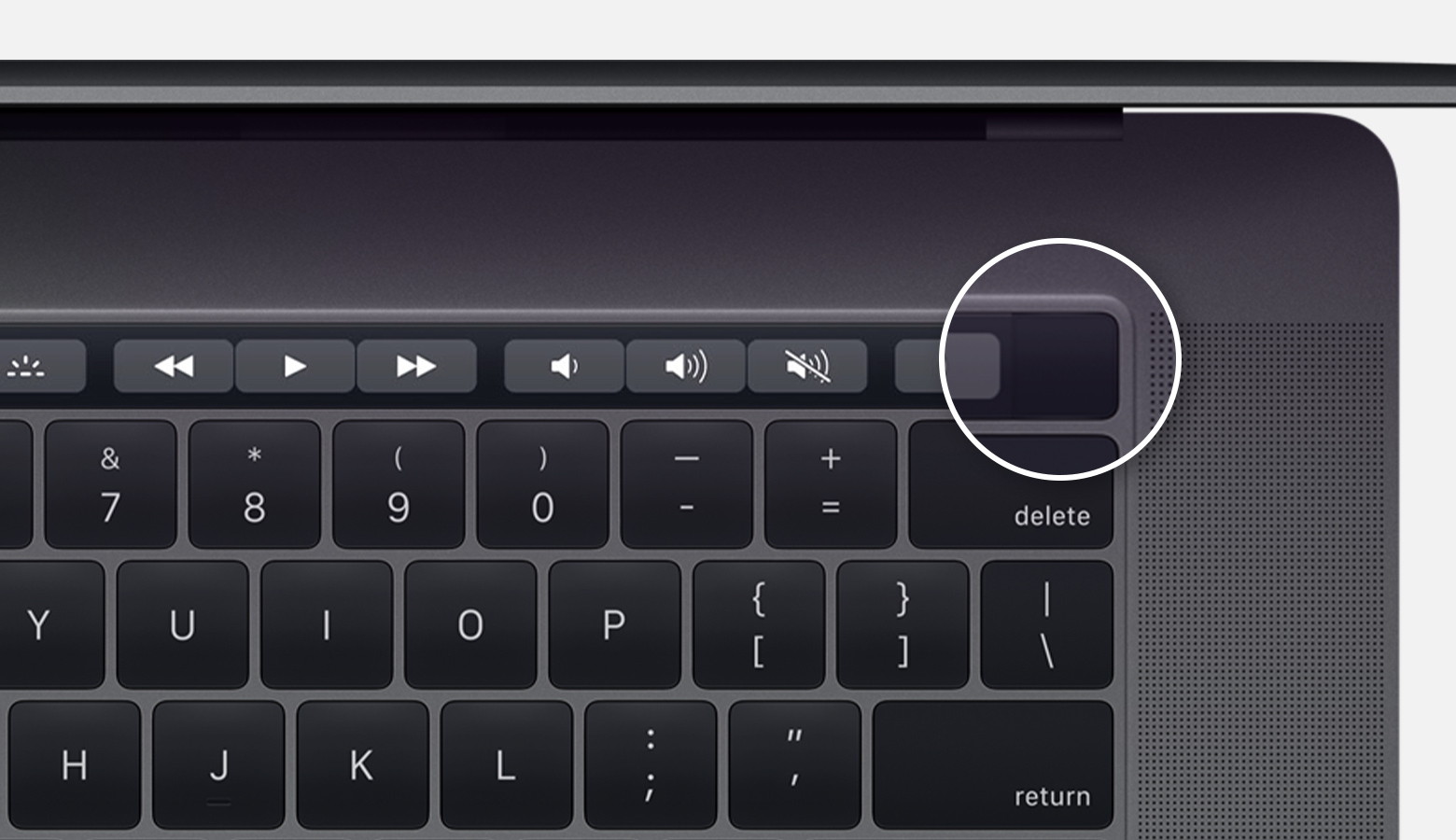
On MacBook Pro models that have a Touch Bar, Touch ID (power button) is on the right side of the Touch Bar at the top of the keyboard.
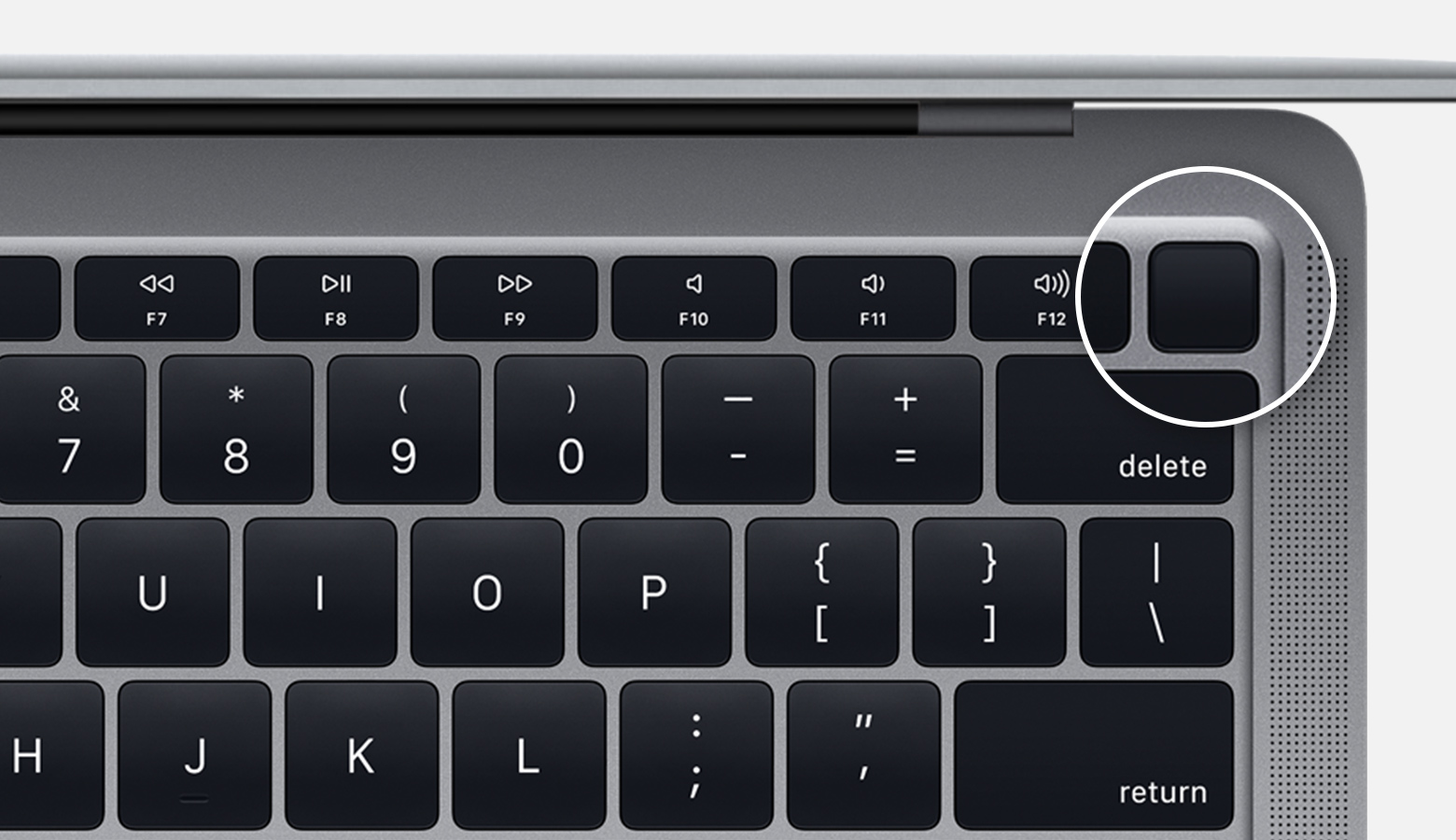
On MacBook Air models introduced in 2018 or later, Touch ID (power button) is on the right side of the function keys at the top of the keyboard.
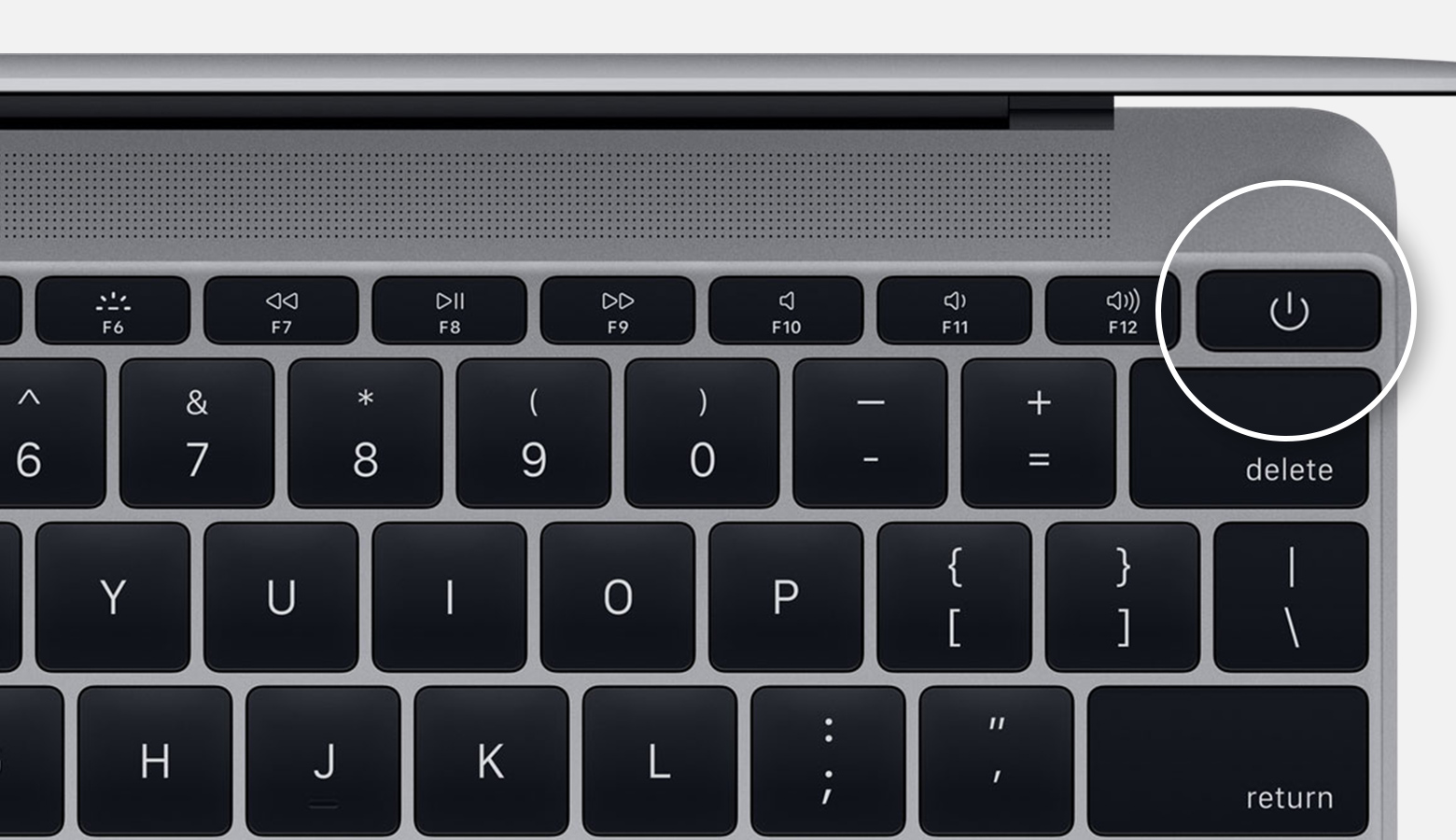
On Mac notebooks with physical function (F1–F12) keys, the power buttonis a key in the top-right corner of the keyboard.
Newer Mac notebooks also turn on when you do these things:
- Open the lid of your Mac, even if it's not connected to power.
- Connect your Mac to a power adapter while its lid is open.
Additionally, MacBook Pro and MacBook Air models introduced in 2018 or later turn on when you press any key on the keyboard or press the trackpad.
If you need help with your Apple product contact the Apple Users Group:

No comments:
Post a Comment